Multi-store shopping platform · No sign-up or monthly fee
Open your own store. Sell everywhere.
Open your store and offer the same products on the main marketplace, external sales channels and to B2B buyers. Orders arrive in one partner center, and you pay a fee only on what sells.
- No sign-up or monthly fee
- 5% fee on own-store sales on the default grade
- Apply online, track it with an application number
Where orders come in
- Main marketplace
- Your store · custom domain
- External sales channels
- B2B buyers
All handled in one partner center
On Allday Allshopping today
- Product categories
- 141
- Selling languages
- 7
- Sales-channel connectors
- 15
- Extensions in the market
- 40
Numbers are read from live service data.
What do you do?
Pick what you do and go straight to the guide and application that fit.
Sell
Seller partner
Open a store under your own name and ship orders yourself
Read the guide →Apply: Seller partnerin Korean
Vendor
Supply products to a partner store that is already open
Read the guide →Apply: Vendorin Korean
Purchasing agent
Run a store that buys overseas goods on customers' behalf
Read the guide →Apply: Purchasing agentin Korean
Grow with us
B2B buyer
Buy at wholesale and sell in your own shop. The supplying partner ships
Read the guide →Apply: B2B buyerin Korean
Affiliate partner
Share referral links and earn a commission on each sale
Read the guide →Apply: Affiliate partnerin Korean
Developer
Build widgets, theme packs and connectors, publish them, and take on commissioned work
Read the guide →Apply: Developerin Korean
Designer
Design homepage templates, widgets and product-detail templates without code and sell them in the market
Read the guide →Apply: Designerin Korean
Getting to your first sale
For seller partners, with what to prepare at each step.
Apply online
Enter your account, store name and address and business details, and upload documents.
Prepare · Business registration certificate; mail-order report number (if any)
Review
The operations team checks and emails you. If rejected, fix and resubmit under the same number.
Prepare · Your application number (status page)
Prepare your store
Your store opens as a copy of a template: check details, payout account, shipping policy, design.
Prepare · Payout account, shipping and return fees
List products
Pick a category and the right fields and disclosure form follow. Use a spreadsheet for many.
Prepare · Product photos, price and stock per option
Sell and get paid
Handle orders in the partner center and ship them yourself. Confirmed orders are settled monthly.
Prepare · A courier account (tracking numbers)
Read the getting-started guideSeller partner applicationin Korean
Features at a glance
Grouped by theme. Each item links to its detailed explanation.
Recently added
Features finished recently and available now. Each links to the detailed explanation.
Bulk product upload (Excel or CSV)
Upload up to 20,000 products per file (by default); it is checked first, and you apply it after reviewing expected new and updated products and errors. Applying runs in the background in batches, photos are fetched from image addresses, and downloading, editing and uploading again makes a bulk edit.
Product pages on phones
Swipe through photos, open them full screen and pinch or double-tap to zoom. A bottom bar with Ask, Wishlist, the price, Cart and Buy now, an option sheet, and list filters in bottom sheets.
Brand directory and brand picker
Find brands in the marketplace brand directory by a Korean or A to Z index or by name, and filter and sort just that brand's products on its page. Sellers pick a brand in the product form or request a new one (live after the operations team approves it).
Marketplace front page management
The operations team edits main banners (desktop and mobile images, period, order), curated product lists, featured brands, and section order and visibility in the admin console, and changes apply right away. On phones the banner is swipeable.
SMS campaign member links
Make per-member links and personal codes only for your own members who agreed to texts, download them as a spreadsheet and send through the SMS service you use. See who tapped and what they viewed, by campaign, member and product.
Gifts with purchase
Set gifts per amount tier, such as gift A from KRW 500,000 and a choice of B or C from KRW 1,000,000. Customers who are short see a reminder at the buy button and a progress bar in the cart; gifts print on picking lists and order sheets.
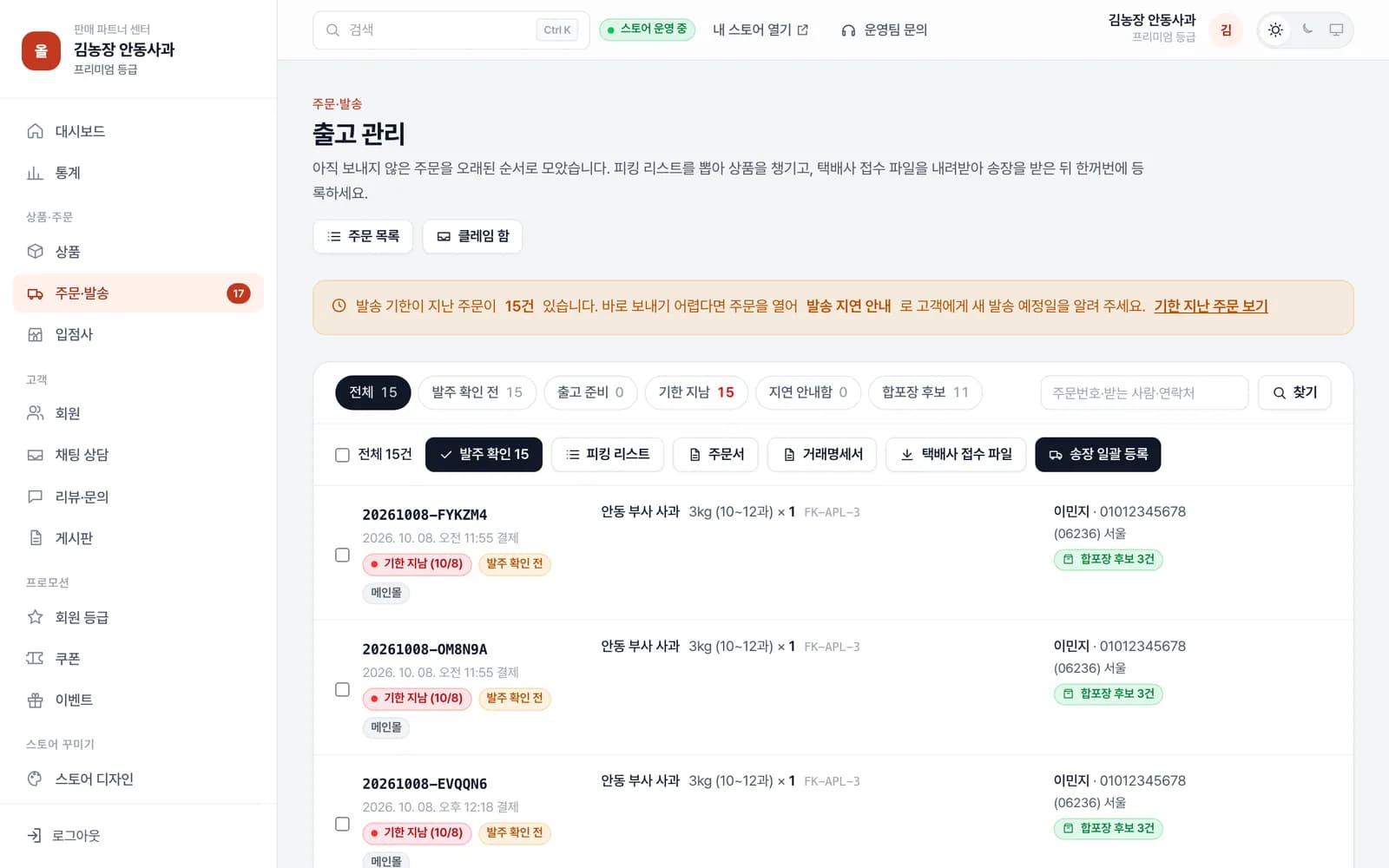
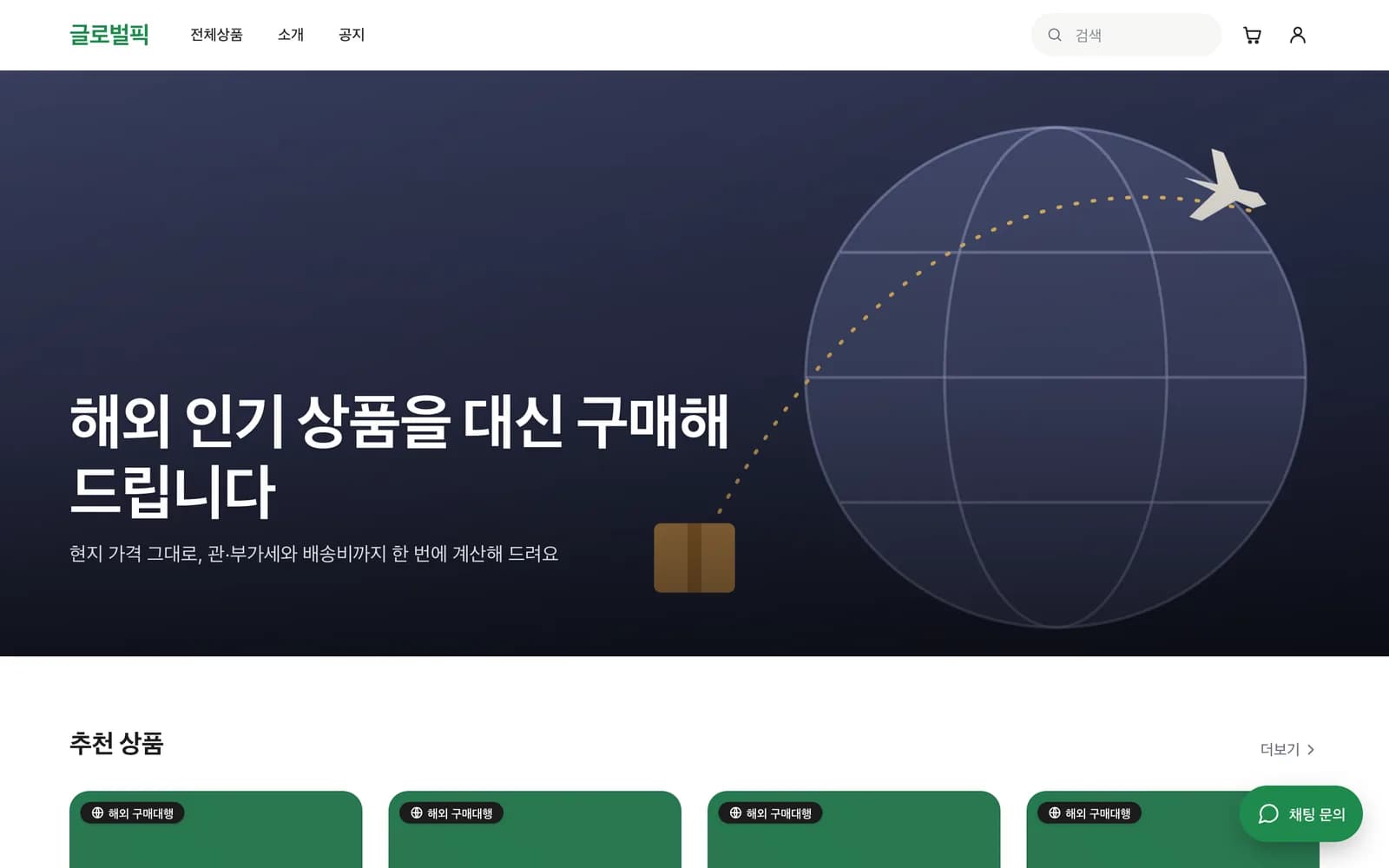
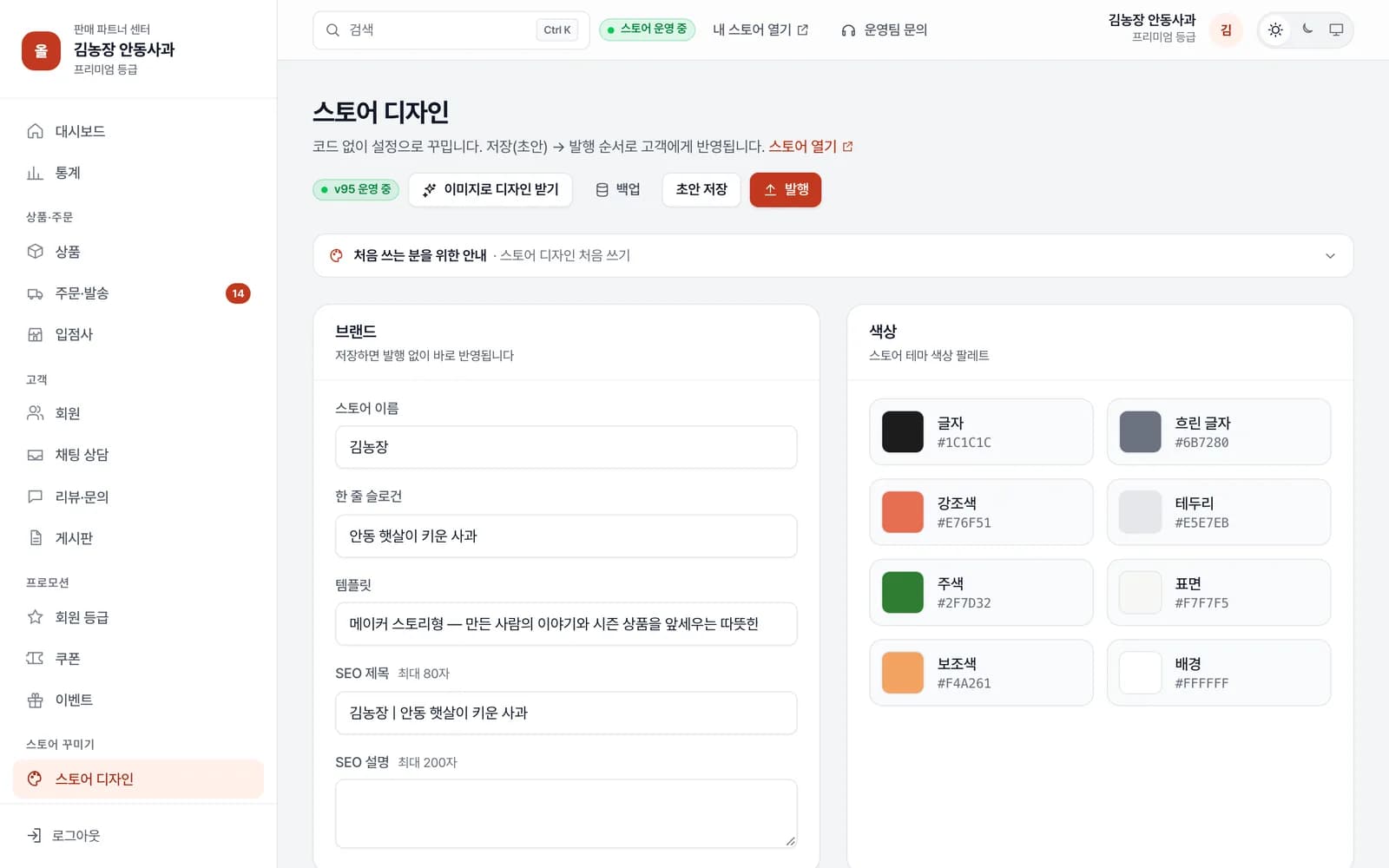
Real screens
Real screens with example data.
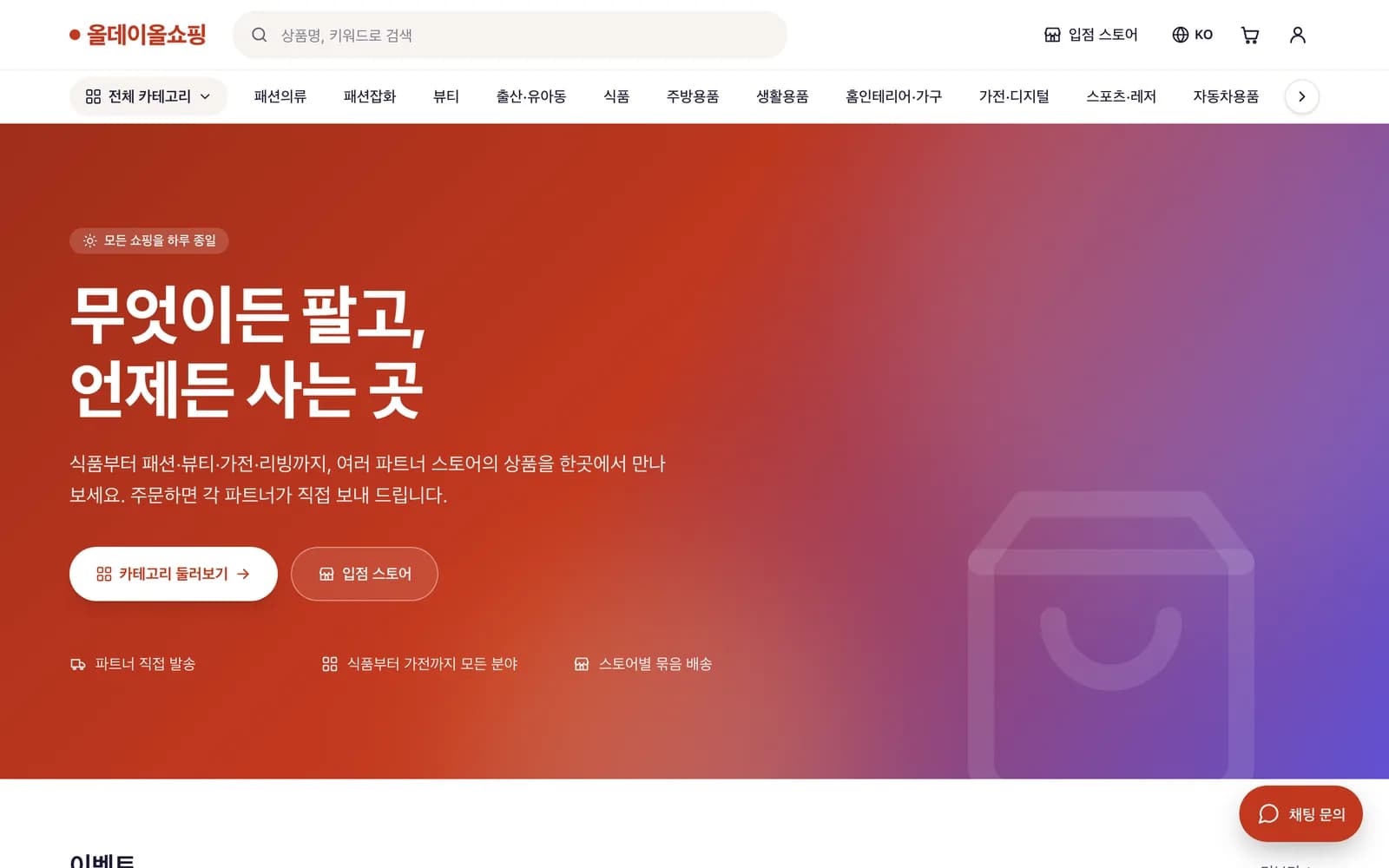
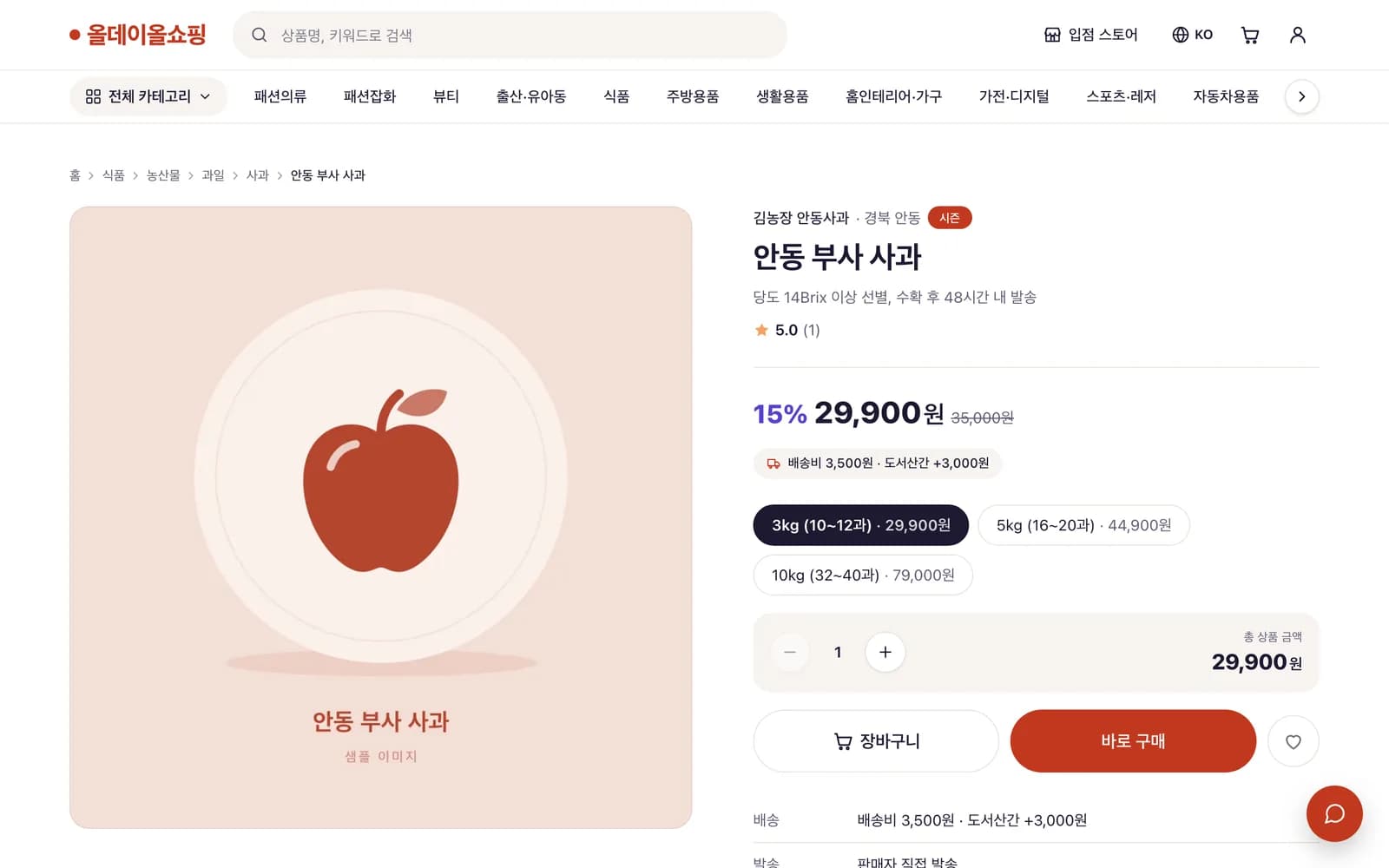
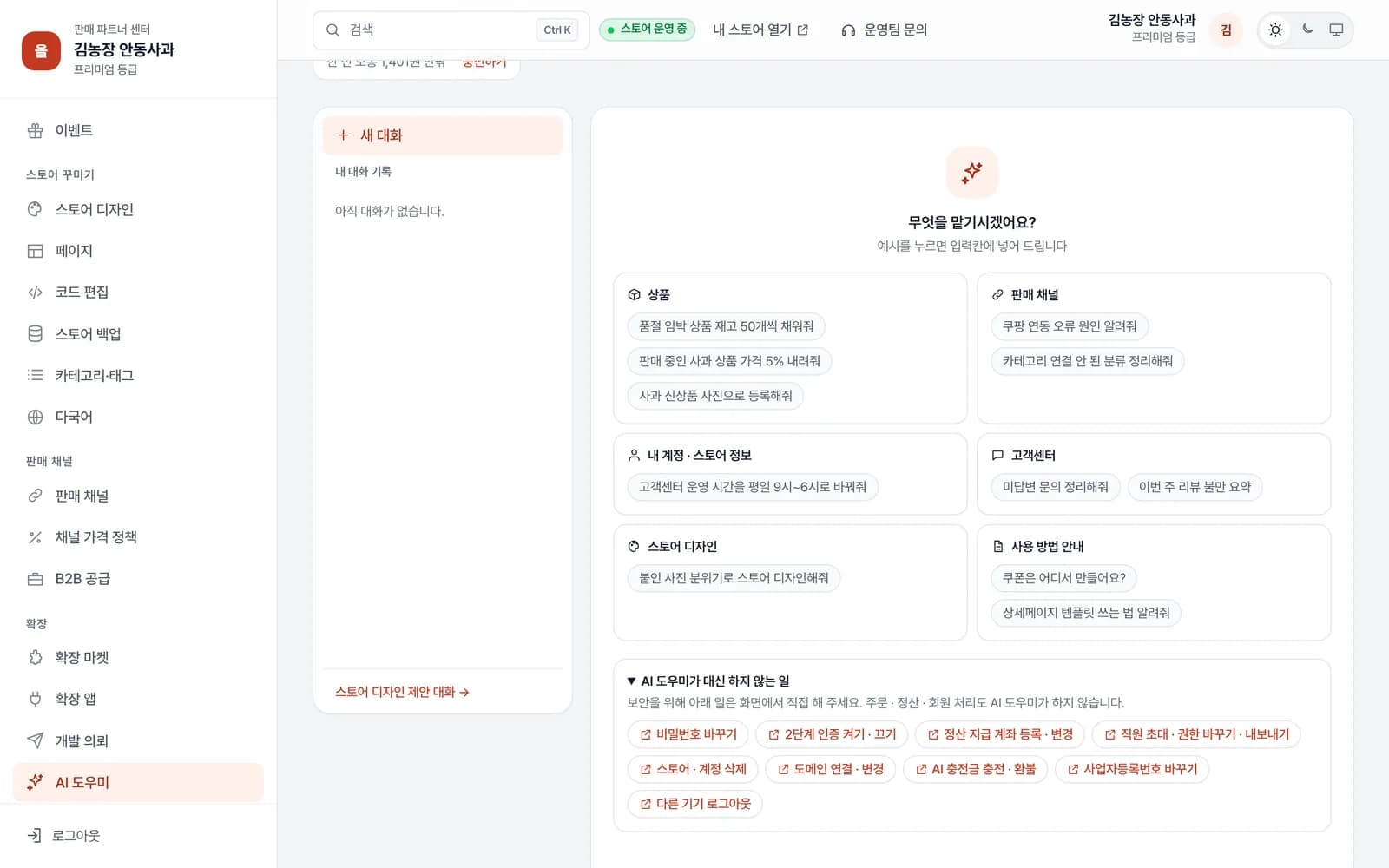
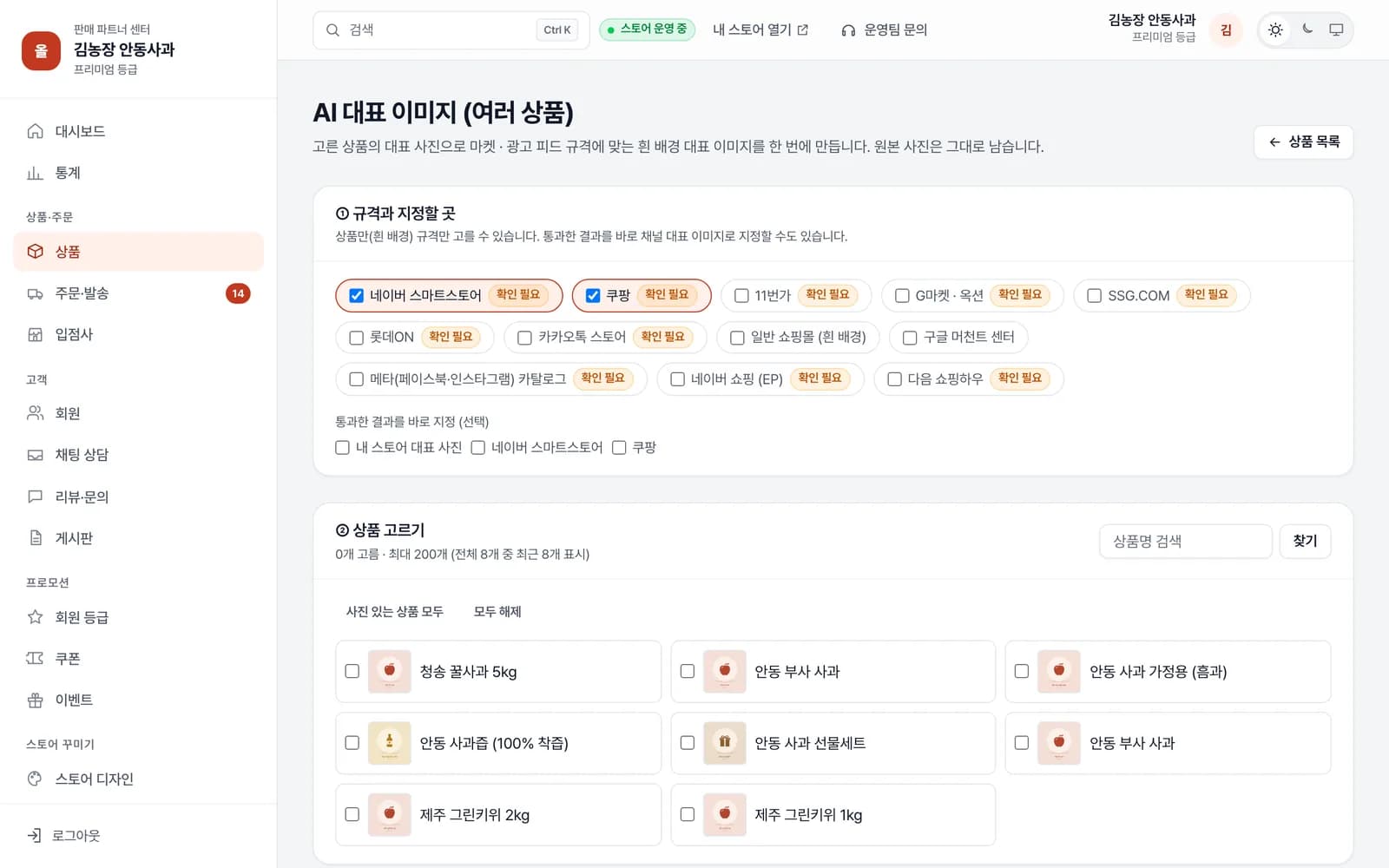
Stores open right now
Stores provisioned on Allday Allshopping that are live today.
Live stores could not be loaded right now.
No sign-up or monthly fee. Pay only on what sells
Numbers are read directly from the operating settings. A contract rate takes priority where one exists.
- Sign-up · monthly fee
- None
- There is no such fee
- Own-store sales fee
- 5%
- 베이직 grade (default)
- Marketplace sales fee
- 12%
- 베이직 grade (default)
- AI assistant
- Prepaid
- Top up from ₩10,000, pay for what you use
If ₩100,000 sells
- ₩100,000 sold in your store
- ₩100,000 − sales fee ₩5,000 (5%) − payment fee ₩2,900 (2.9%) = ₩92,100
- ₩100,000 sold on the marketplace
- ₩100,000 − sales fee ₩12,000 (12%) − payment fee ₩2,900 (2.9%) = ₩85,100
- Sold through your own connected Smart Store or Coupang account
- No Allday Allshopping fee (settled by that channel)
On the 베이직 grade (default for new partners). A simple calculation without shipping, coupons or refunds, using the same formula as the settlement service (rounded to the won).
Are my products shown on the marketplace too?
For each product you choose where it is shown: marketplace and store, store only, or marketplace only. The sales fee is the rate of the channel where the sale happened.
Who ships?
The seller partner who listed the product ships it. Shipping policies (base fee, conditional free shipping, quantity bands, bundling, island and Jeju surcharges, a regional surcharge table by postcode prefix, a free shipping event period, return and exchange fees) are set by the seller under shipping and operations policies in the partner center.
How long does approval take?
The operations team checks the documents and emails you. The result is sent to the email you applied with. You can follow progress any time on the application status page with your application number, and if the application is returned you can correct it and resubmit under the same number.
When do I get paid?
Settlement is monthly. Orders confirmed from the 1st to the last day of the month (Korea time) form one statement; after the period ends the operations team closes it and pays to your registered account. The payout date is shown on the settlement screen once the operations team completes the transfer. Orders are confirmed by the customer or automatically 7 days after delivery.
Do orders from my own Smart Store or Coupang carry a fee?
No. Orders from a channel account you connected yourself are settled by that channel, so there is no Allday Allshopping fee and they are not on your statement. Shipping, stock and claims are handled in the partner center as usual.
How many products can I list?
There is no set cap. Photos and files count towards your grade's storage, and a spreadsheet upload takes up to 20,000 products and 50,000 rows per file by default.
Do I have to design the store myself, or are there templates?
On approval a store is created as a copy of a template, ready to use. You can start there and change colours, fonts and sections, install theme packs and page packs from the extension market, or have the AI assistant suggest a design from reference images.
How do I connect Naver or Coupang?
Install the connector from the partner center's extension market, agree to its permissions and connect your channel account. Naver needs the application ID and secret from the Commerce API Center; Coupang needs the vendor code, access key and secret key from WING. The screen tells you where to issue each value. Then run the connection check and a dry run on the connection test tab.
Can customers abroad pay?
Yes. When a customer picks a display currency in the header, an approximate amount (≈) appears next to prices, and currencies the operations team has enabled for foreign-currency payment (USD, JPY, TWD, THB, EUR) are charged and refunded in that currency through PayPal. Other currencies are paid in won. Product prices, order amounts and settlement are always in won. You can also sell in a local currency on an overseas channel such as Shopify or eBay through its connector.
Do AI charges come out of my settlement?
No. They come only from prepaid credits and are separate from sales settlement.
How is the grade decided?
New partners start on the default grade; grades and individual rates are adjusted by the operations team. Fees, custom domains and storage depend on the grade. The monthly free AI allowance follows a platform default set by the operations team and can be set differently per grade or per store.
How much is the vendor commission?
The store operator sets it per vendor at approval. It is not a platform-wide figure, so check the store's terms before applying.
How is commission calculated?
A fixed amount accrues for each confirmed order line. If an order has several different products, each counts once; quantity is not counted. The default amount follows the platform setting, and a different amount can apply per product, campaign or partner.
Can I take my data if I leave?
You can download products (spreadsheet), orders, members, reviews, inquiries, coupons and statement details (CSV). The store owner ends the contract themselves in Partner center › Settings › End partnership. The screen first shows what blocks it (open orders, claims, unpaid settlement), what will be deleted and what is kept by law, then asks for your password and store name. The store closes immediately and can be restored during a 30-day grace period; after that the store, products, photos and channel connections are deleted, while order, payment and settlement records are kept for the legal period with personal details masked.
Not sure where to start?
Pick what you want to do and we will point you to the right application. Ask the support desk if anything is unclear.