Developer guide
Build and sell widgets and connectors that add features to stores
Developers build widgets and themes for store screens and connectors that attach external sales channels, and publish them in the extension market. They can also accept a store operator's commission and work on the store for an agreed period.
Who this is for
- Front-end developers and designers who build shop layouts and themes
- Platform operators who want to attach their own sales channel to Allday Allshopping
- Agencies that build and operate stores for clients
How it works
Step 1
Submit the application
Enter your account, developer (team) name and an introduction.
Step 2
Review by the operations team
Once approved you can register widgets and connectors in the developer center.
Step 3
Build and get reviewed
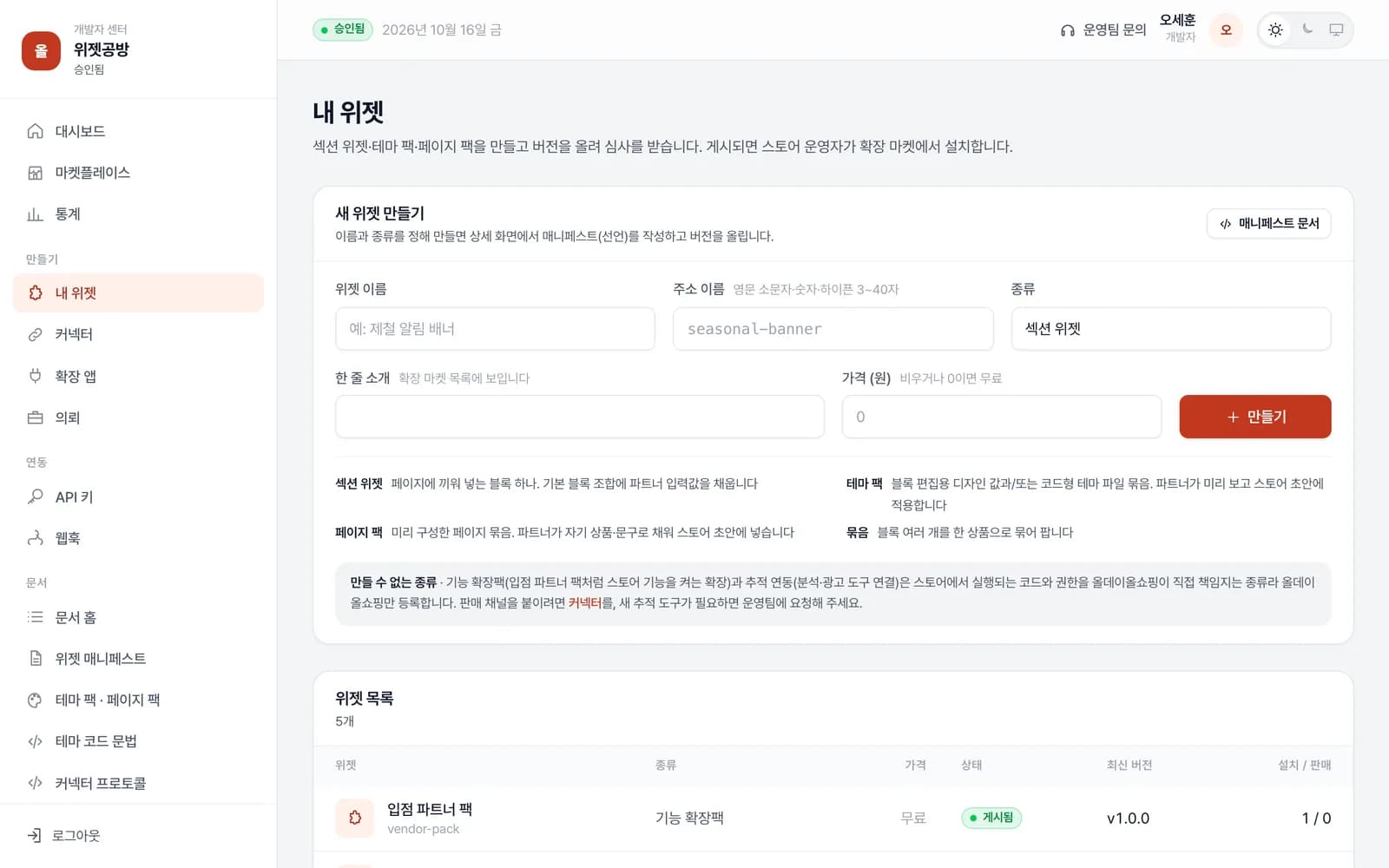
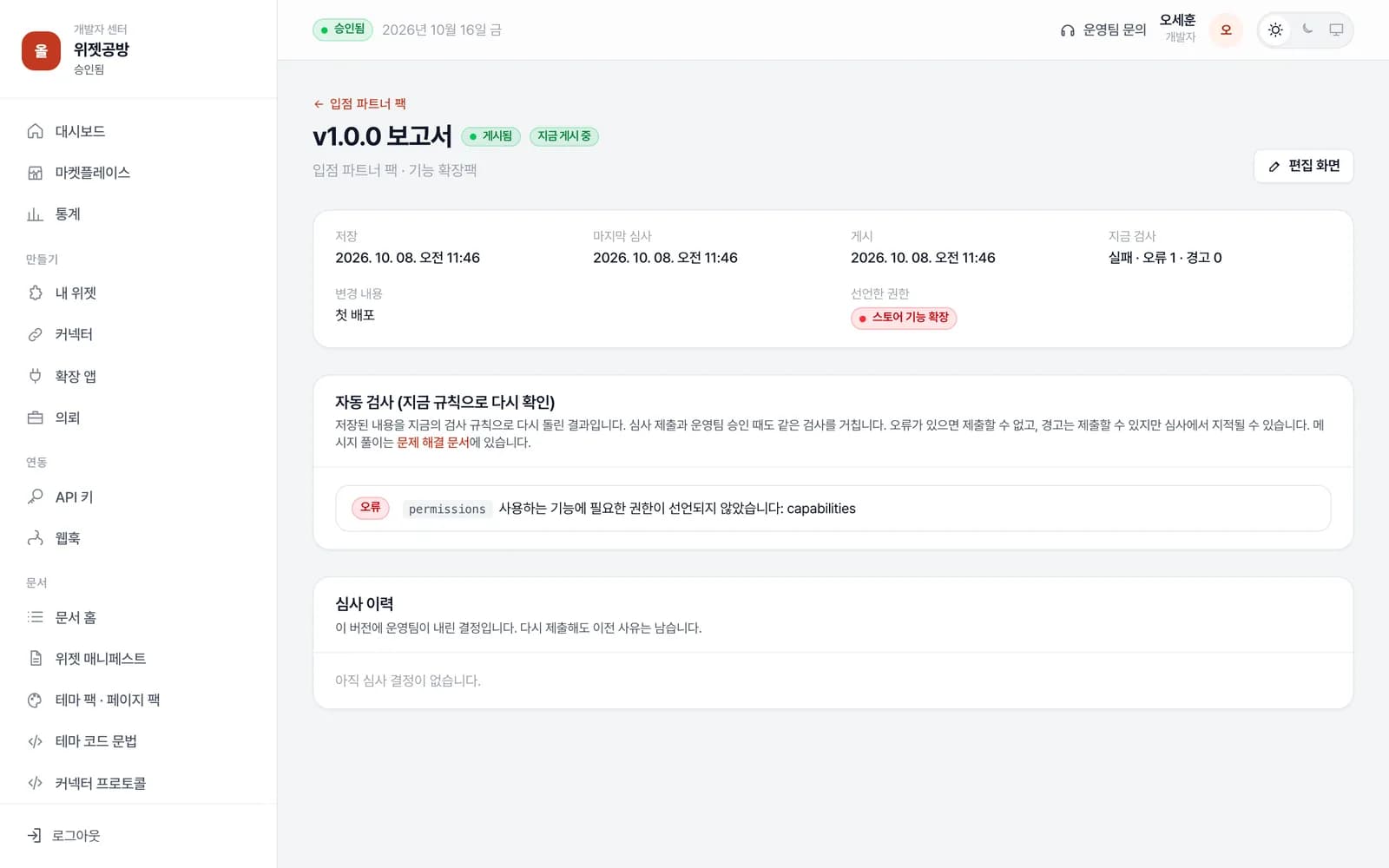
Define a widget or connector with a manifest. It passes automatic checks on registration and is reviewed by the operations team when submitted. Approval and rejection are emailed, and a version report lists the rejection reason and check results item by item.
Step 4
Publish and sell
Once published, store operators install it from the extension market. Extensions that need permissions ask for the operator's consent at install time.
Step 5
Settlement
Paid sales and commissioned work are settled net of the market fee and paid to the account registered in the developer center.
What you can do once approved
Widgets, themes and page packs
Publish section widgets, theme packs, page packs and bundles of them, version by version. Extensions are declarative settings; stores never execute third-party code. Feature extensions and tracking integrations are provided by Allday Allshopping itself.
What is published now
Browse the extensions in the market today by kind, category and price, and get a sense of how yours will look to store operators.
Sales-channel connectors
Attach your platform as a sales channel with the open connector protocol. The developer center has the protocol documentation and a test console.
Version reports and review notices
For each version, a report shows the rejection reason, review history, why a submission was blocked, and the checks re-run under the current rules. Approval, rejection and suspension are emailed; publication and rejection can also be received by webhook.
Widget preview
Lay the section widget you are editing over an empty page of the demo store, without publishing or installing it. Packs are checked in the editor and then previewed on the demo store.
Commissioned work
When you accept a store's commission you receive edit access for the agreed scope and period. Access is withdrawn automatically when the period ends. Each accepted commission has a message thread with the store operator.
API keys and webhooks
Integrate external services with developer API keys, signed webhooks and consent-based extension apps. There is also an API with webhooks for connecting chat support to an external helpdesk or auto-responder.
Webhook delivery log and key rotation
For each webhook, see the body sent, the response code and the failure reason in the delivery log, and resend or test-send. Failed deliveries are retried automatically. API keys can be rotated with a grace period for the old key.
Extension app management
For each extension app, see the stores that installed it, when it was last used and the install-notification log, edit its details and scopes, and reissue the secret.
Reviews and statements
Reply to reviews of your extensions and follow the rating trend. Print or export an itemised breakdown of each statement as CSV.
Message the operations team
Use the operations-team chat at the top of the developer center.
Developer documentation
Step-by-step guides and references for building widgets, themes, packs, connectors and extension apps. Readable without signing in, before you apply. The documentation is in Korean.
AI assistant
The Developer Center AI assistant answers from the docs and your own webhook failures, review rejections and install stats (free daily questions), and drafts manifests and connector responses checked against the real validation rules (charged to your prepaid AI credits; code is never executed).
Hands-on tools
Signed in to the Developer Center, you can paste a manifest or pack into a validator that runs the real checks and shows results with line numbers and field paths (nothing is saved), render theme code snippets with the same engine and checks as live themes in the Liquid playground, and compute webhook and connector request signatures in the browser with the signature calculator (your key is never sent to the server). The documentation is searchable, and a sample connector server can be downloaded to start from.
What you need to apply, and the review
Fields and documents come from the same definitions as the real application form.
- An email and password for sign-in (your existing Allday Allshopping account if you have one)
- Developer (team) name and a short address in Latin letters
- Introduction and portfolio or site address (optional)
- Business registration number (optional)
| Item | Required? |
|---|---|
| Business registration number | Optional (if you have one) |
No documents to submit.
How the review works
The Allday Allshopping operations team reviews it. The result is sent to the email you applied with, and in the meantime you can check progress with your application number on the status page.
Received → under review (missing documents can be added) → approved or rejected → if rejected, read the reason and resubmit under the same number
Day one · week one
What you get on day one
- The developer center, and developer docs you can read without signing in
- API key and webhook screens
- A preview that places the widget you're editing on a demo store
First-week checklist
- Read the getting-started walkthrough in the docs
- Register your first widget manifestChecked automatically on registration — scripts, event attributes and external styles are rejected
- Check it in the demo-store preview
- Register your payout account
- Register a webhook and send a testYou can receive publish and rejection notices
- Submit a version → review by the operations teamResults by email; rejection reasons in the version report
The checkboxes are for guidance; the actual work happens in the console.
Cost
- Registration fee
- There is no such fee item. Free extensions are distributed without a fee.
- Market fee
- 20% of paid sales and commissioned work (platform setting). An individual contract rate applies when one is set.
- Payment (PG) fee
- 2.9% of paid sales is also deducted at settlement.
Numbers are read directly from the operating settings. See all fees
Worked example
- One ₩10,000 extension sold
- ₩10,000 − market fee ₩2,000 (20%) − payment fee ₩290 (2.9%) = ₩7,710
The same formula the settlement service uses for extension sales. Individually agreed rates take precedence.
How much is the market fee?
The platform's market fee rate applies to paid sales and commissioned work. An individual contract rate takes precedence.
Can a widget include JavaScript?
No. Extensions are settings declared in a manifest; scripts, event attributes and external styles are rejected by the automatic checks. Each store runs the snapshot taken at install time.
How do I build a connector?
Implement the open connector protocol, in which Allday Allshopping calls your server with signed requests. A reference server, protocol documentation and a test console for sending requests are provided.
Can individual developers apply?
Yes. The business registration number is optional.
Can team members share the account?
At present one developer name has one account. Team-member accounts and roles are not offered.
What is in the market right now?
The extension market preview shows published extensions without signing in. It is the same list store operators see in the partner center.
What does the review look at?
An automatic check inspects the manifest on registration (rejecting scripts, event attributes and external styles), and the operations team reviews what you submit. The version report lists rejection reasons, blockers and the checks re-run under current rules.
What comes out of a sale?
The market fee and the payment fee. The worked example below uses the current settings. Free extensions carry no fee.
Developer applications are filed online
You receive an application number by email and can follow progress on the status page. If an application is returned, you can correct it and resubmit under the same number.