Shopper guide
Products from many stores, in one marketplace
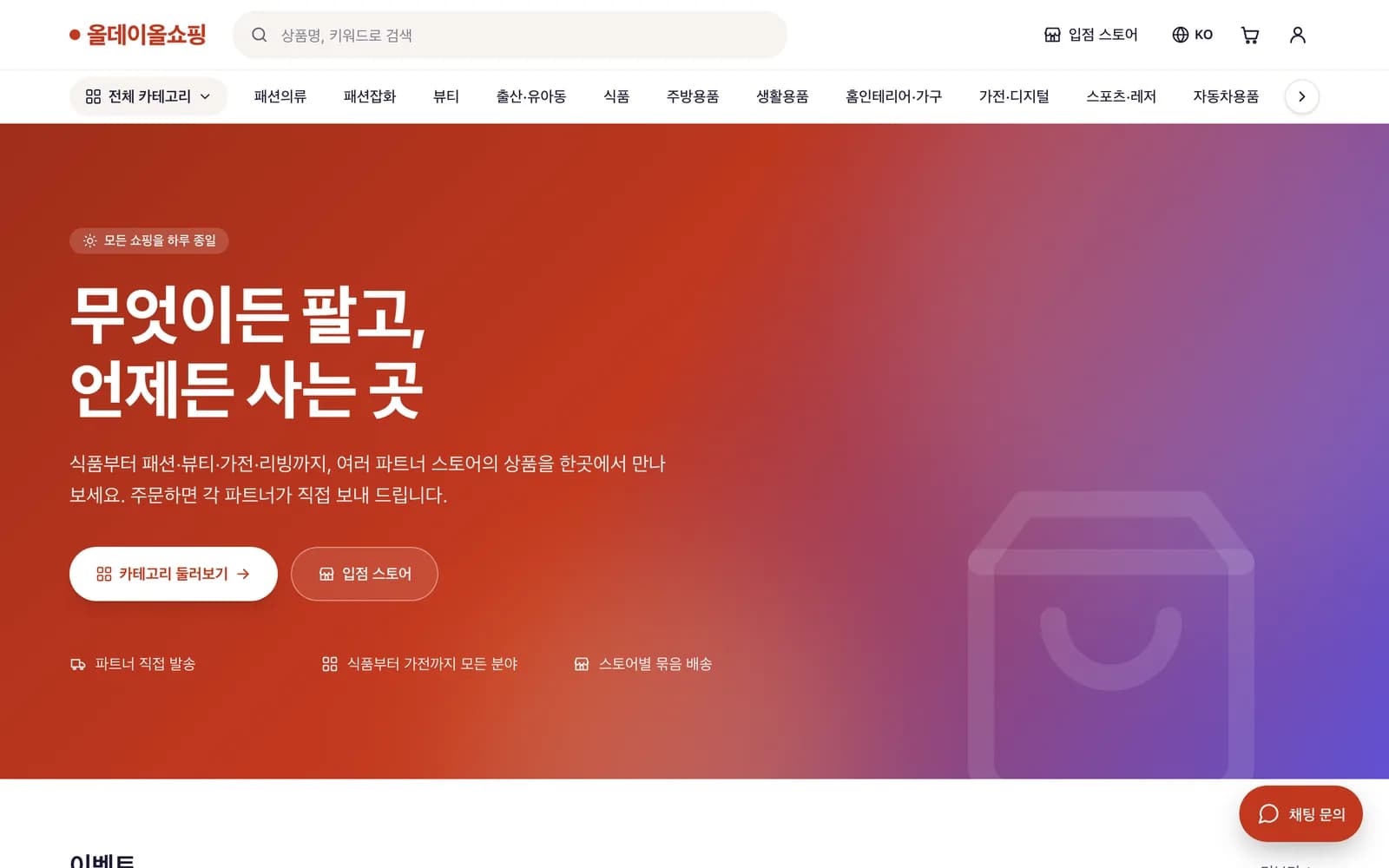
The marketplace gathers products from many Allday Allshopping stores in one place. When you order, the partner who listed the product ships it directly. You can also visit a store on its own.
Who this is for
- People who want to browse many shops in one place
- People who want to know which store sells and ships what they buy
- People who want coupons and member benefits at a favourite store
How it works
Step 1
Choose products
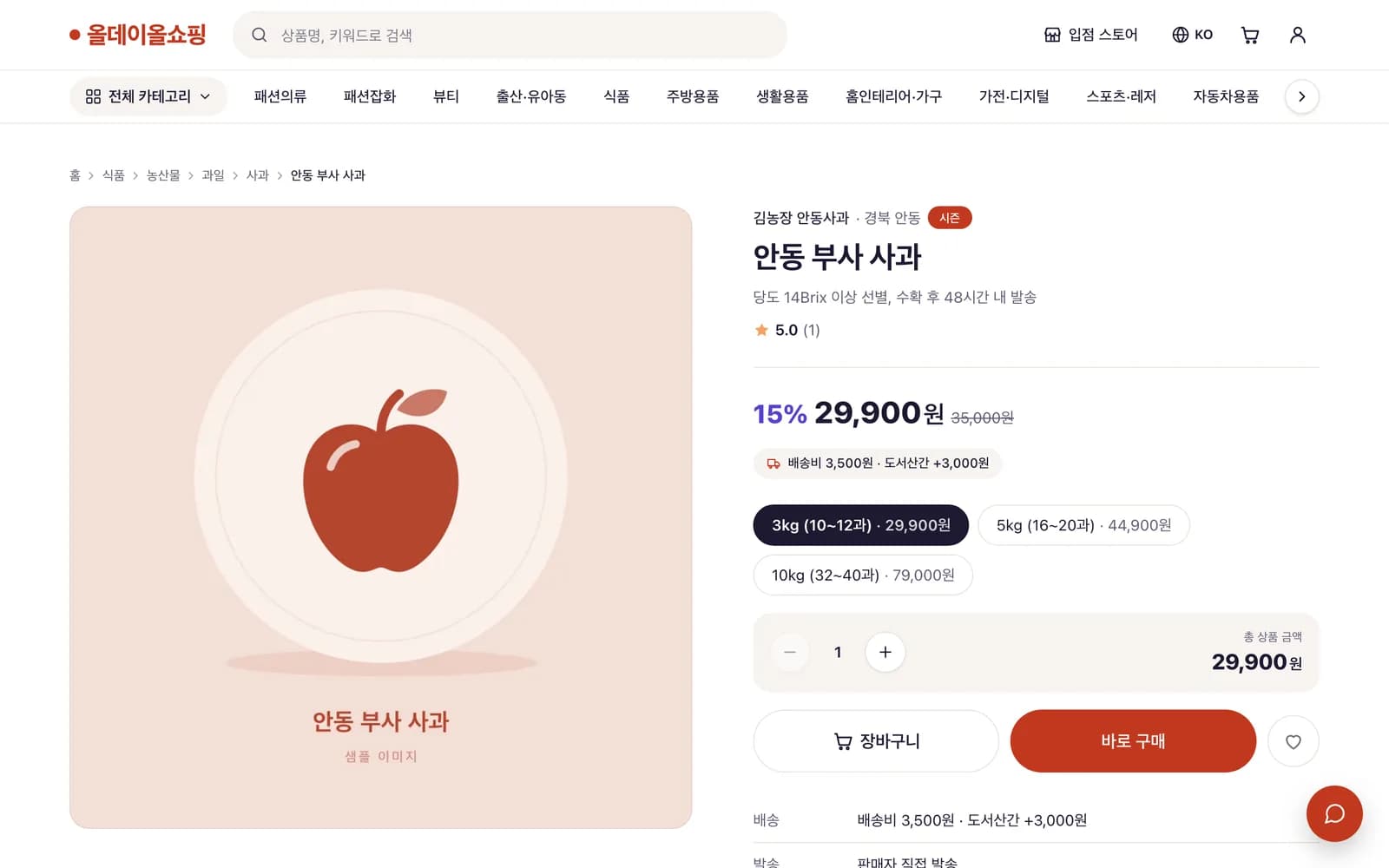
Browse by category, season or store, or search. Search tolerates initial consonants and typos and shows similar products, and results can be filtered by stock, free shipping, rating, origin, price and brand. Two-character searches are found quickly too.
Step 2
Order and pay
Pay with the methods offered in the payment window (card, virtual account, bank transfer, easy pay and so on). Enter a discount code in the cart to see the discount straight away and it carries into checkout; coupons and points are applied on the order form.
Step 3
Shipped by the partner
The partner who listed the product confirms the order and ships it. You receive the tracking number when it ships. For products whose seller has set dispatch rules, the product page shows the expected dispatch and arrival dates (estimates that can change).
Step 4
Delivery status
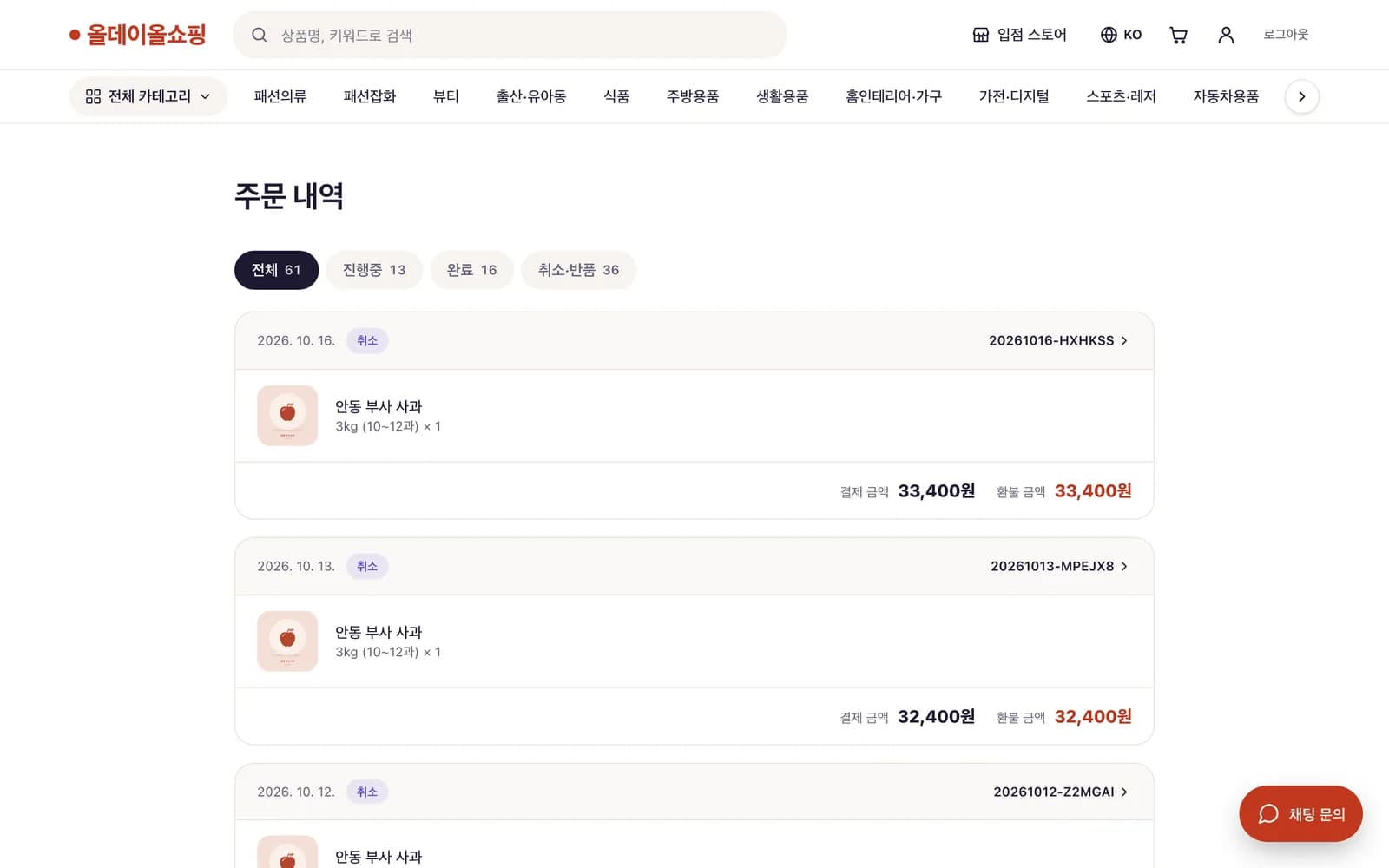
Check delivery stages, the carrier and a tracking link in your order history; for couriers with automatic lookup you see the tracking history and can ask again with ‘Track package’. Guests look up orders by order number and the orderer's mobile number.
Step 5
Confirm and review
Confirm the purchase after receiving it; writing a review earns points under the store's policy.
Good to know
My page
The first screen shows how many orders are at each stage — paid, preparing, shipping, delivered, confirmed — and your recent orders. ‘Reviews and inquiries’ gathers reviews you can write, reviews you wrote (edit the rating and text, see seller replies) and your product inquiries. On a phone, a bottom tab bar (home, categories, search, wishlist, my page) gets you around.
Exchanges and returns
Request cancellation, return or exchange from your order history; the instructions include the seller's return address. Fresh food, made-to-order goods and similar items can be restricted by law and store policy.
Store member benefits
Each store runs its own member grades, coupons and events. Get coupons in the coupon zone or register a coupon code, and sign-up, birthday-month and grade-up coupons the store has set up arrive in your coupon box automatically. Checkout points out the best coupon you can use. The member grade benefits page shows your grade and what is left to the next one, and check-in events show a calendar of your check-ins and the points earned. A store's points and coupons are used only in that store.
Chat
Ask the seller by chat from a product page or your order history. The product or order you were looking at is sent along, and guests can use it too.
Restock alerts
Sign up on a sold-out product or option and you are emailed once it can be bought again (members).
Reviews
See the rating breakdown and photo reviews and mark reviews as helpful. Write a review with photos for a delivered product.
Cancel right after ordering
Until the seller confirms your order, you can cancel it right away from your order history and are refunded to your payment method; after that it becomes a cancellation request. The order-complete screen shows the estimated arrival date, points to be earned and the cancellation and refund policy.
Shop in other languages
View the store in the languages it has turned on (English, Japanese, Chinese, Vietnamese, Thai and so on). Untranslated content shows in English or the Korean original, and emails such as sign-up, order, shipping, refund, restock and inquiry-answer notices are also available in English and Japanese. Pick a currency in the header to see an approximate amount (≈) next to prices; when you are signed in, it is remembered on your account.
International shipping and foreign-currency payment
At stores that ship abroad, choose a destination country, order with an address in English and see the estimated delivery on the product page and at checkout. Duties and taxes are paid by the recipient on arrival (DDU). Currencies the operator has enabled (USD, JPY, TWD, THB, EUR) can be paid in that currency through PayPal.
Check the seller and the terms
The marketplace footer shows the operator's business details and product pages show the seller's. Terms and the privacy policy show their version and effective date, and earlier versions can be viewed. The FAQ covers cancellation, returns, refunds and shipping.
Buy again
From your order history, put a past order's products back in the cart with the same options and quantities. The current selling price applies.
Gifts with purchase
At stores or on the marketplace when a gift promotion is running, the cart shows how much is left to the next gift and you pick your gift at checkout (where there is a choice). The qualifying amount is the item total after coupon and member-grade discounts, without shipping. Gifts end when their stock runs out, and if cancelling or returning part of an order brings it below the amount, the order page marks the gift for return and the seller contacts you.
Store pickup
At stores that offer store pickup, choose ‘Store pickup’ at checkout and collect the order at the store's location with no shipping fee (domestic orders containing only items the store ships itself). The order page shows the pickup location, opening hours and expected ready date, and you are told when it is ready for pickup.
Text and email marketing consent
At sign-up and under your profile's marketing settings you agree to promotional texts (SMS) and email separately, and can turn either off at any time. The dates you agreed or opted out are shown, and closing your account withdraws consent on every site. If you tap the link in a store's promotional text, that click and the products and categories you view in that browser for a set period (up to 30 days) are recorded against your membership. Visits that did not come through a text link leave no such record, and once you turn texts off, nothing more is recorded: neither link taps nor product views. Depending on the operating policy, product views may also go unrecorded if you did not accept analytics in the cookie banner or your browser sends a Global Privacy Control (GPC) signal. Records are deleted after the period stated in the privacy policy.
Shopping on a phone
Swipe through product photos with a counter such as ‘3 / 8’, and tap one to open it full screen, then pinch or double-tap to zoom. Once you scroll past the buy area, a bar with Ask, Wishlist, the price, Cart and Buy now sticks to the bottom, and if you have not picked an option yet an option sheet slides up. Signed in, Ask opens a product question form straight away. Filter chips on search and category lists scroll sideways, and price, origin and brand are chosen in sheets from the bottom.
Brand directory
See featured brands in the marketplace brand directory and find brands by a Korean or A to Z index or by name. A brand page lists just that brand's products with filters and sorting, and the brand name on a product page leads there too. On phones, open it from the Brands button at the top of the category tab. Banners on the marketplace front page can be swiped.
Search and cart
The search box suggests products and categories and shows recent and popular searches, and ‘viewed together’ below a product and recently viewed items in my page (those seen in this browser) help you find things again. In the cart, order just the items you select and see prices that changed since you added them and stock that is running low.
Boards and product questions
Write posts and comments on store boards (secret posts are possible) and delete your own posts. You get an email when a product question is answered, and a question with no answer yet can be deleted.
Shopping guide
Delivery addresses
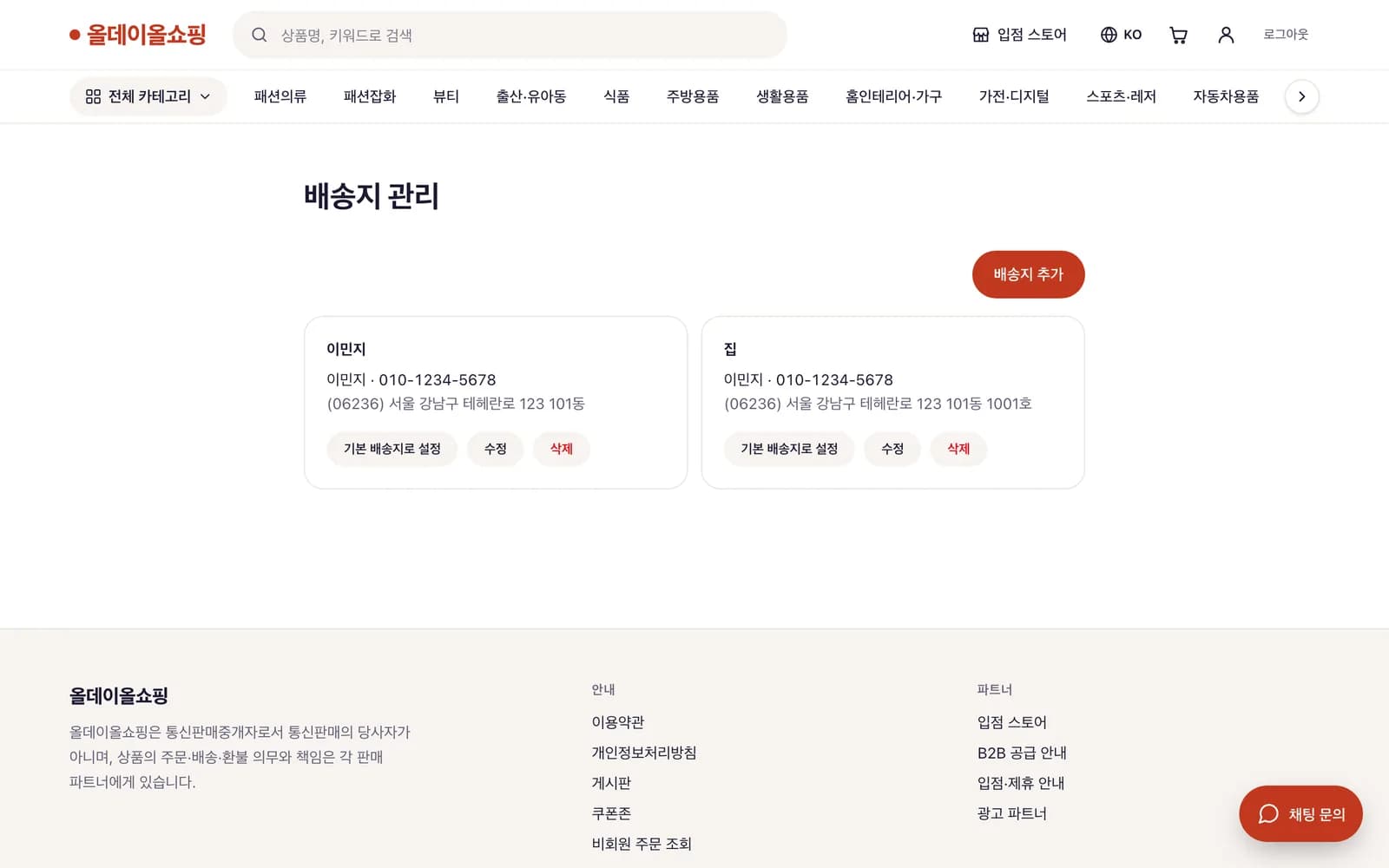
Save several addresses in My page › addresses and pick a default. Find the address with Kakao (Daum) postcode search and add the detail. Overseas addresses are saved separately in English. At checkout, choose a saved address.
Ordering, cancelling and returning
Before the seller confirms your order, cancel it from the order history and get refunded to your payment method; afterwards it becomes a cancellation request. Request returns or exchanges within 7 days of delivery and before confirming the purchase; return and exchange fees follow that store's shipping policy.
Confirmation and points
Confirm the purchase after it arrives, or it is confirmed automatically 7 days after delivery. Reviews earn points under the store's policy.
Privacy and leaving
Leaving from My page (with your password) deletes your name, email, phone, birthday, addresses and social links. You can't leave with an order in progress, and order and payment records are kept as the law requires. Recipient details needed for delivery are passed to the seller of that order.
Cost
- Sign-up
- Free.
- Shipping
- Differs by store and product; shown on the order form.
Numbers are read directly from the operating settings.
Frequently asked questions
Can I buy without signing up?
Yes. Order as a guest and look it up with the order number and mobile number. Members can use points, coupons and saved addresses.
Who is the seller?
Allday Allshopping is an online marketplace intermediary; the seller is the partner who listed the product. The business name and details are on the product page and in the store footer.
Where do I ask questions?
Ask the seller about a product from its product page, by inquiry or chat, and use the marketplace support desk for questions about the service. Chat is answered during the hours the store sets; outside them an away notice is shown.
Can I save several delivery addresses?
Yes. Save them in My page › addresses and set a default. Addresses are found with postcode search.
How long do I have to return an item?
Within 7 days of delivery and before confirming the purchase, from your order history. Fresh food and made-to-order items may be restricted by law and store policy.
Can I shop in English?
In the languages the store has turned on. Prices are based on won, and picking a currency in the header shows an approximate amount (≈) as well. Stores that ship abroad also deliver to overseas addresses, and currencies the operator has enabled for foreign-currency payment (USD, JPY, TWD, THB, EUR) can be paid in that currency through PayPal.
What happens to my data if I leave?
Your name, email, phone, birthday, addresses and social links are deleted; order and payment records are kept as the law requires. If an order is in progress, you can leave once it's done.
How can I pay?
With the methods offered in the payment window (card, virtual account, bank transfer, easy pay and so on), and through PayPal when you have chosen a currency with foreign-currency payment enabled. Coupons and points are applied at checkout.
Can I browse products by brand?
Yes. Find a brand in the marketplace brand directory and its brand page lists only that brand's products, with the usual filters and sorting. Only brands with products on sale in the marketplace are listed, and brand names look the same in every language. Individual stores do not have a brand directory.
Find products from many stores on the marketplace
When you order, the partner who listed the product ships it directly.